FAQ
Q: I lost my Token Secret. Can I recover it?
No. For security reasons, the secret is displayed only once upon generation.
Solution: Re-generate Secret
- Go to the WSO2 Support Portal > Registry Tokens.
- Select the Re-generate Secret option for the token.
- Warning: This will immediately invalidate the previous secret. You must update all pipelines or systems using the old secret.
Q: How do I remove access for an old server or employee?
If a token is no longer required or if you believe it is compromised:
- Go to the Registry Tokens page.
- Click the Delete Token (trash bin icon) button.
- This action is permanent and cannot be undone.
Q: Cannot pull images from my Arm64 based server/PC - "no matching manifest for linux/arm64/v8 in the manifest list entries"?
When you try to pull a container image from an Arm-based server or personal computer (please refer to the section Getting the Pull Command), the system may throw the error "no matching manifest for linux/arm64/v8 in the manifest list entries." This occurs when the registry does not contain a matching architecture container image for the one requested by the client device. You can verify it by,
Solution: Verify Available Architectures
You can verify the available architectures for an image by:
- Click into a specific Repository.
- Locate the specific Tag (version) you wish to use (e.g.,
5.7.0.1770447688453.8). - Click on the folder icon next to the SHA value.
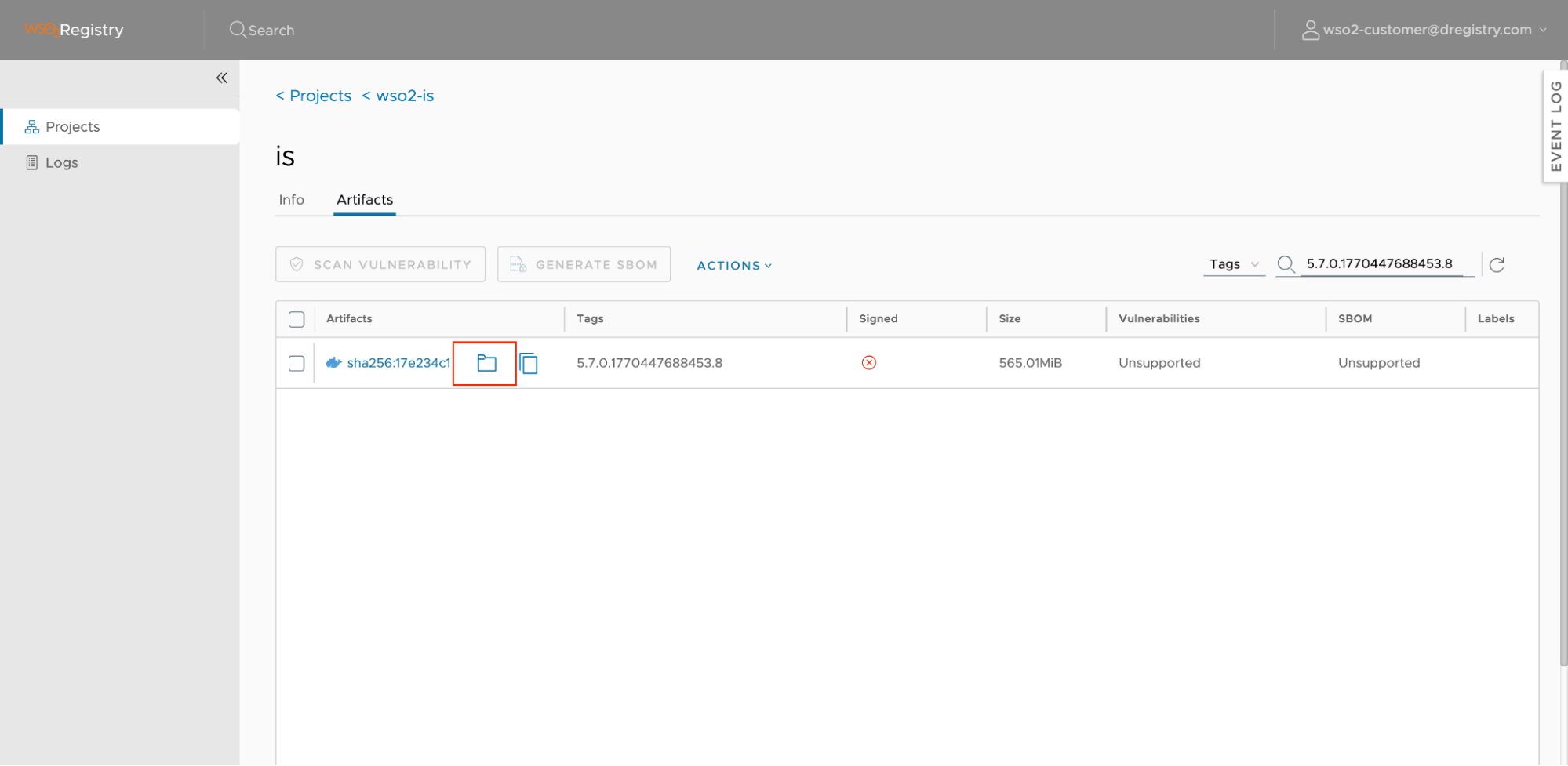 You can then see the available OS architectures for the image.
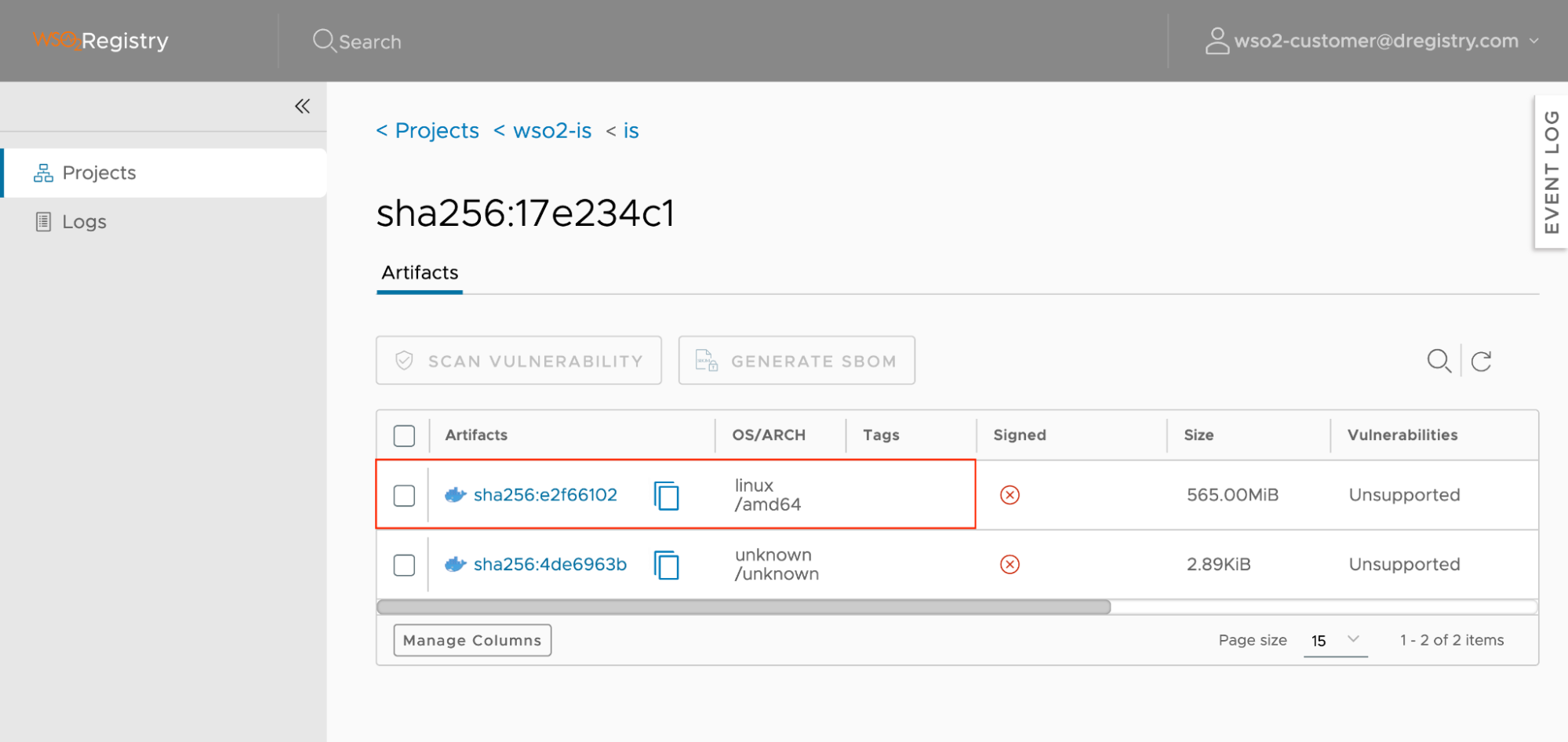
Since the image doesn't have any arm64 architectural image, you are getting the error message.
Q: How can I programmatically discover the latest image tag for use in my pipeline?
The Harbor CLI is the recommended approach for this use case. It supports querying, filtering, and sorting artifacts by version and works seamlessly with tokens generated from the WSO2 Customer Support Portal. Refer to the Harbor CLI section for setup and usage instructions.
Q: An image tag I previously pulled is no longer available in the registry. Why?
Older container images are periodically removed from the registry according to the Image Retention Policy: images pushed within the last 6 months are retained, and the latest tag in each repository is always retained regardless of age. Tags outside these rules are removed.
To avoid depending on a tag remaining available, mirror the images you use to your own container registry after pulling them. If a removed image is critical and cannot be replaced with a newer update level, contact WSO2 support.
Q: I can log in to the registry, but pulling images fails. What could be the reason?
If docker login succeeds but docker pull fails partway through downloading, your network may be blocking the registry's CDN. Image layers are served from registry-cdn.wso2.com, so both registry.wso2.com and registry-cdn.wso2.com must be allowed through your firewall or proxy over HTTPS (port 443). See Network Requirements for details.